Skip to content
English - United Kingdom
  • There are no suggestions because the search field is empty.

How to cancel your MME Premium subscription

MME Premium

1. Click on Manage Subscription on the My Courses section of MME Premium.
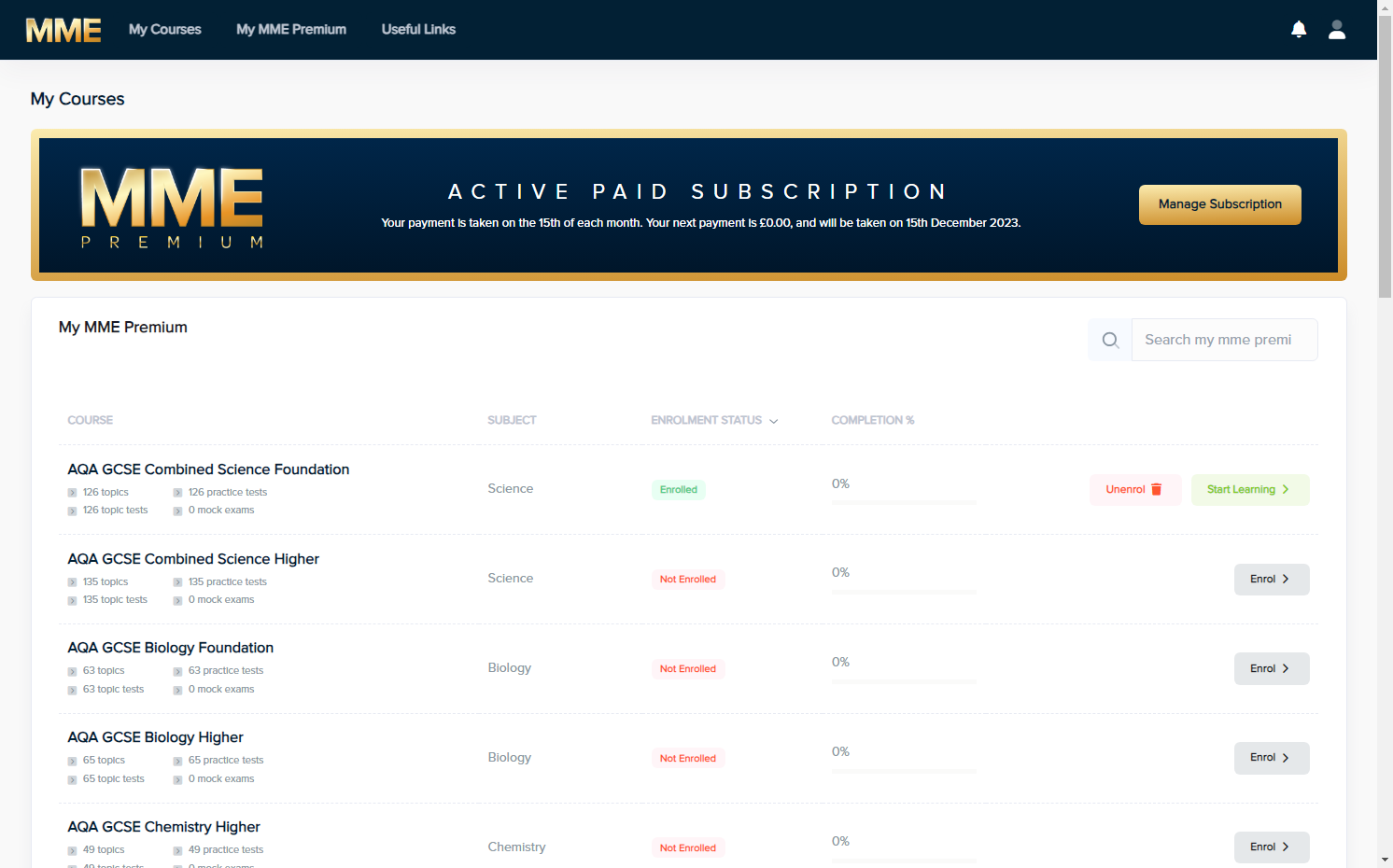
Click on Manage Subscription on the My Courses section of MME Premium.

2. Click on Cancel Subscription.
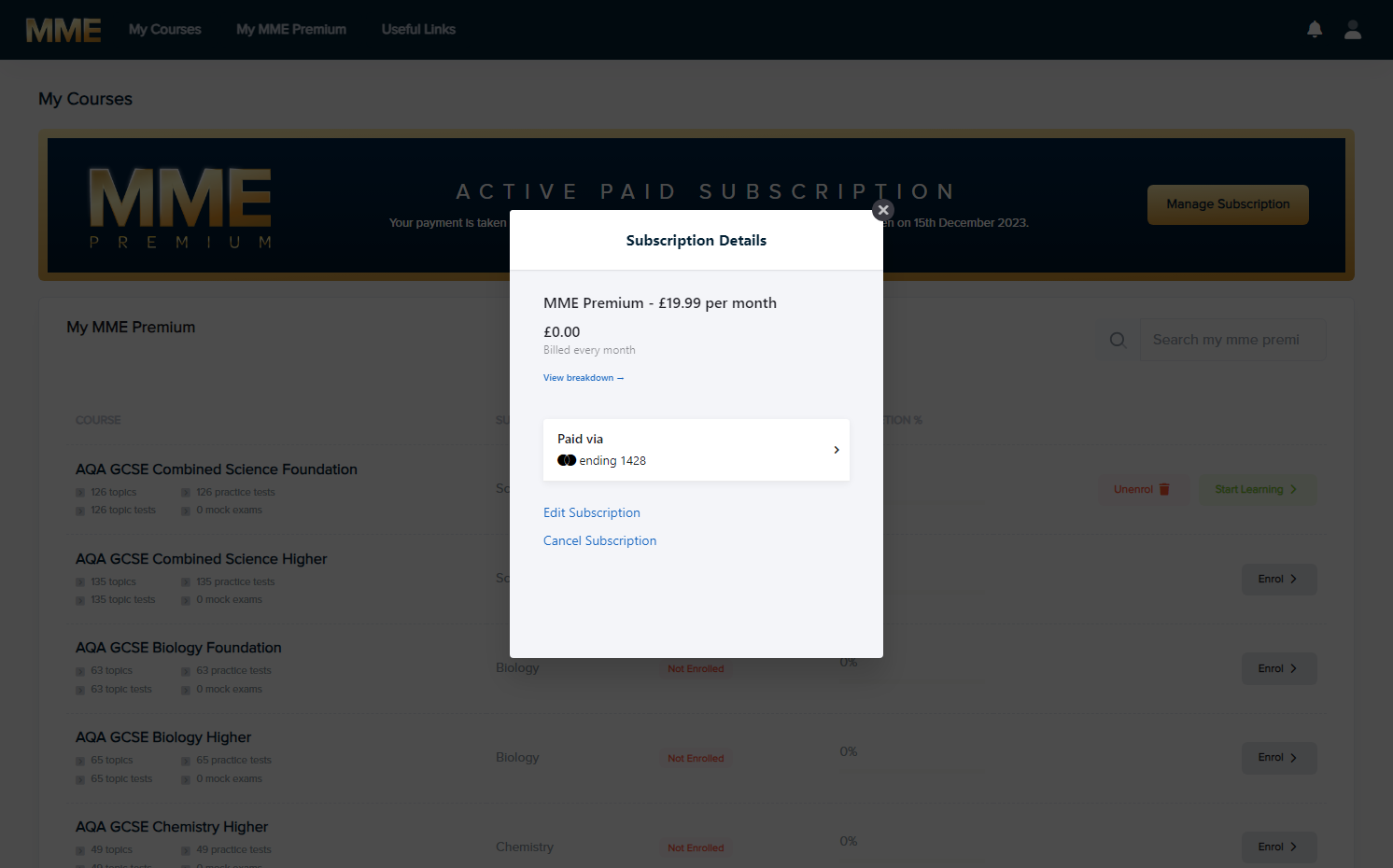
Click on Cancel Subscription.

3. Click on Confirm Cancellation.
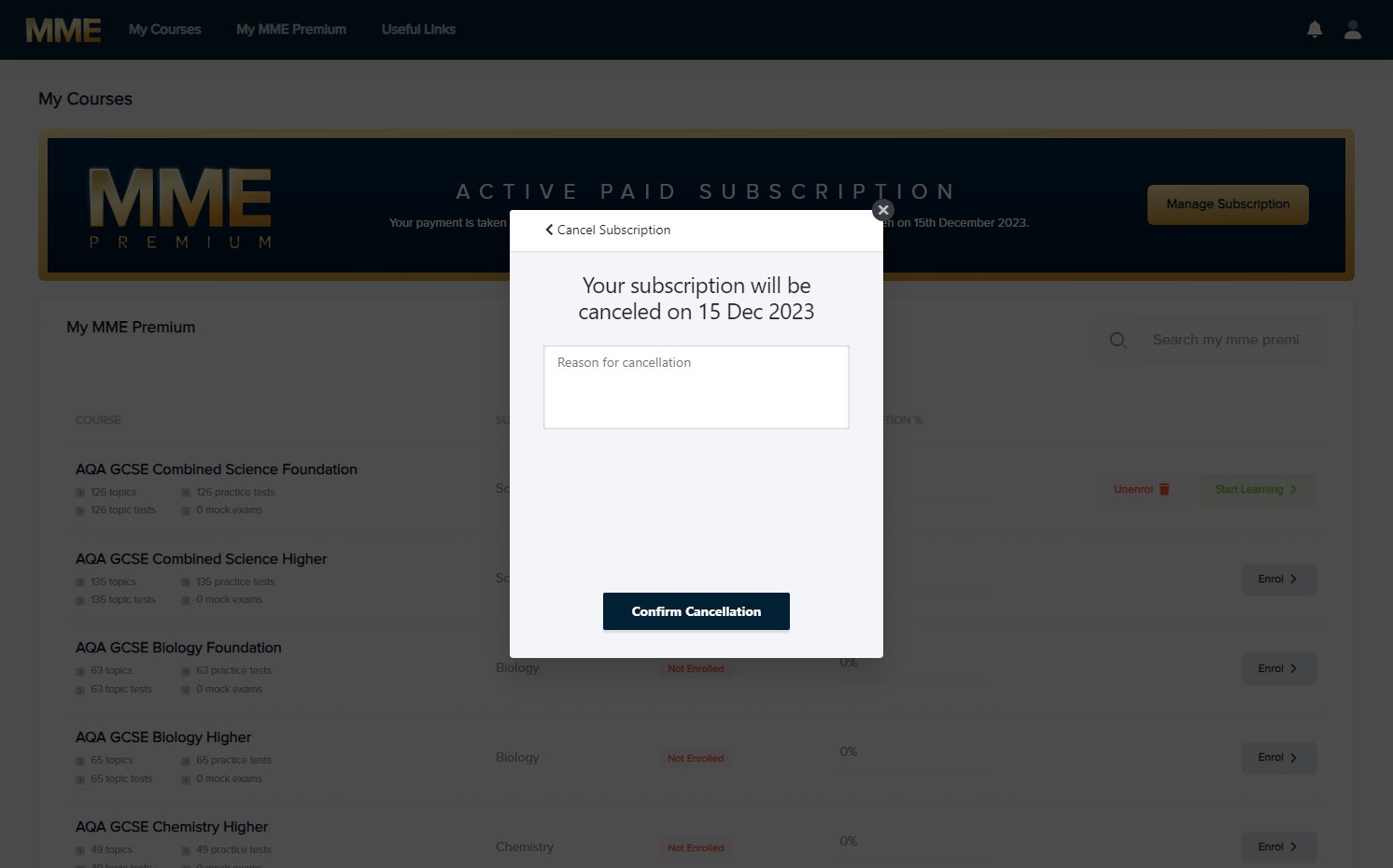
Click on Confirm Cancellation.

4. Your subscription should cancel at the end of the term, so you will receive the service until that renewal date.
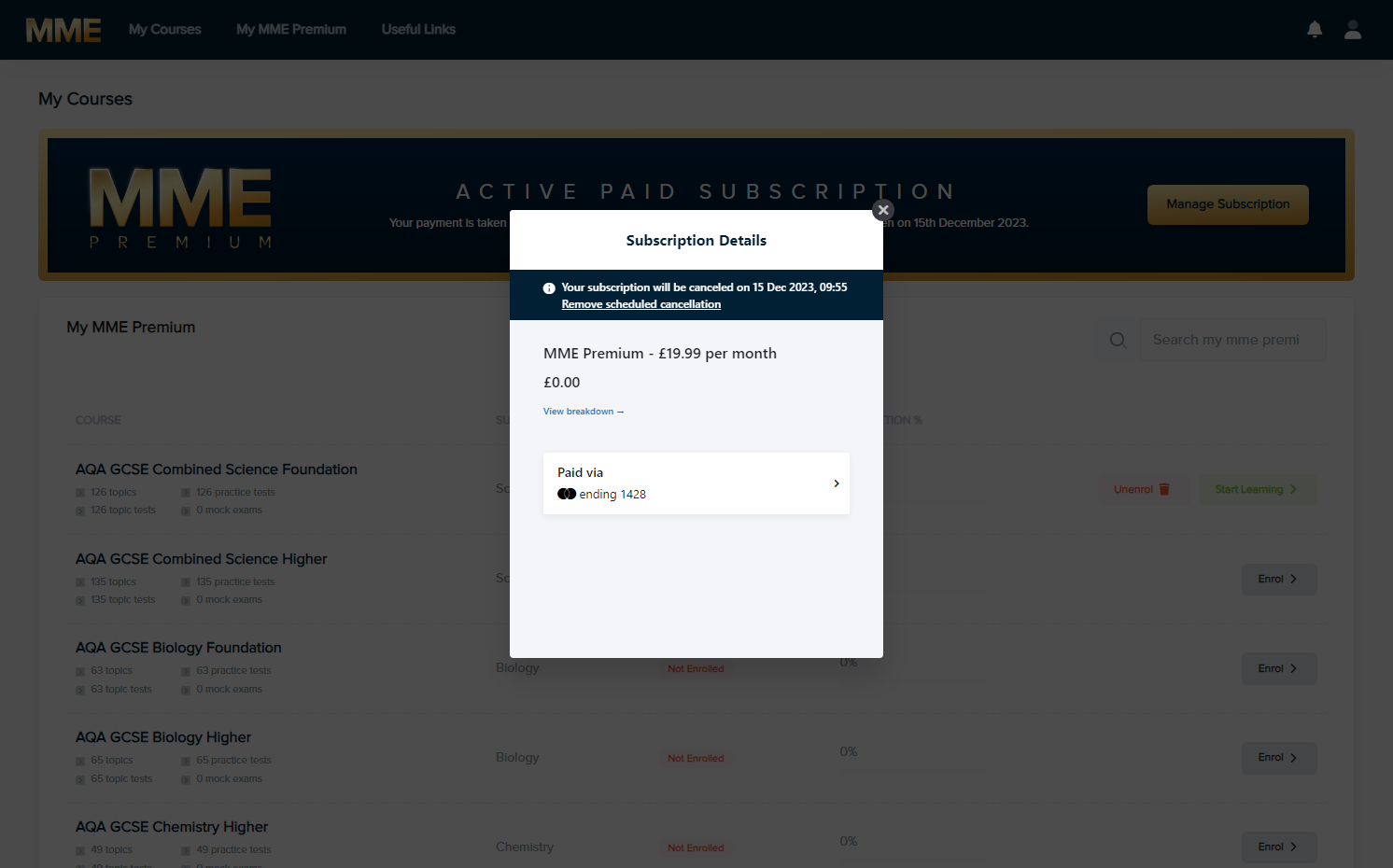
Your subscription should cancel at the end of the term, so you will receive the service until that renewal date.

5. A banner should show at the top showing that you have cancelled your subscription.
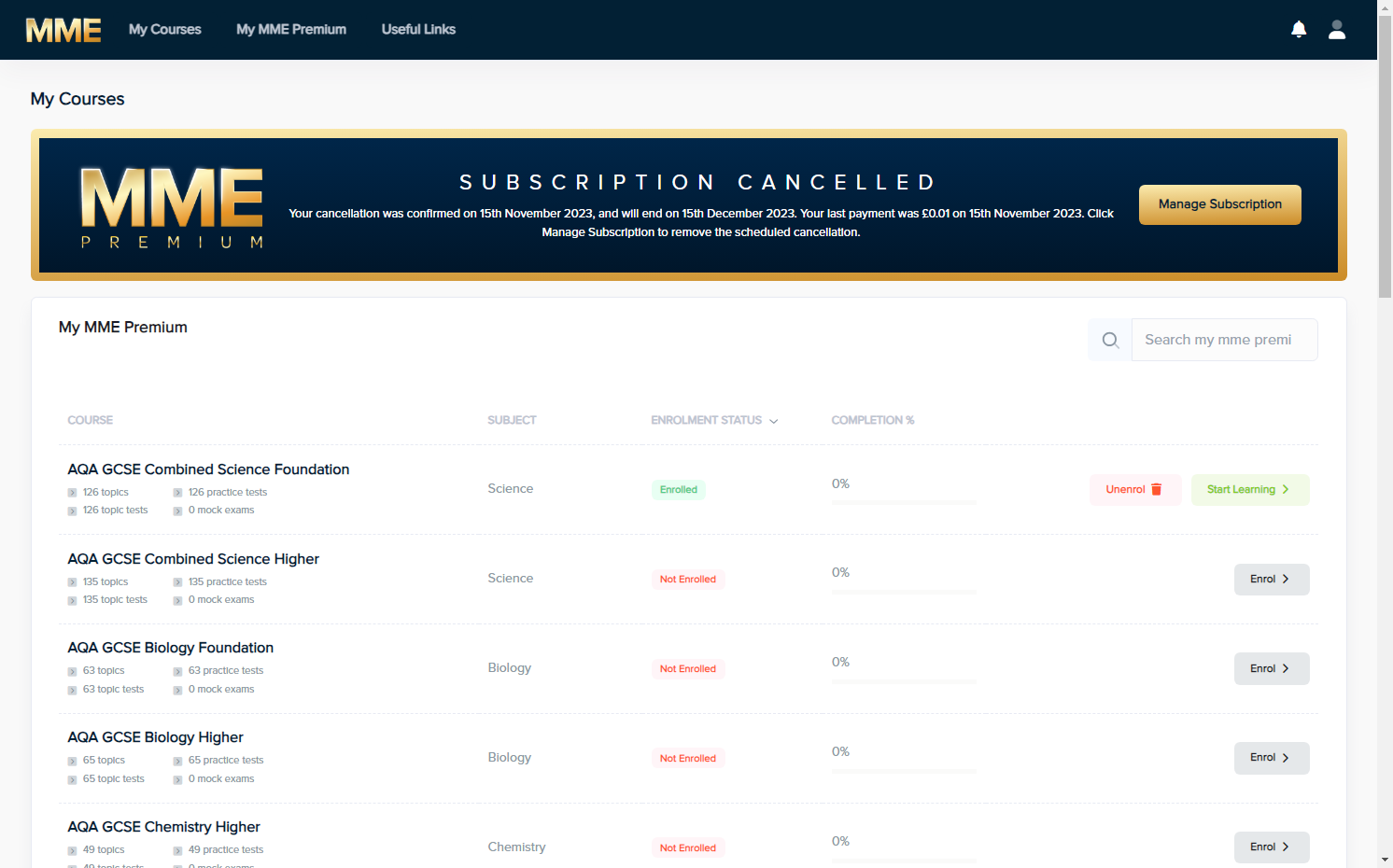
A banner should show at the top showing that you have cancelled your subscription.